DIE SECTOR NORD AG IST OFFIZIELLER BREVIS.ONE RESELLER

Die Zukunft der Konnektivität und Leistung - Vorstellung der neuen Desktop Extended Edition DX2


Die Desktop Extended Edition DX2 ersetzt die bisherige Desktop Edition DX. Dieses Modell wurde entwickelt, um Ihre Erwartungen an Geschwindigkeit, Konnektivität und Benutzerfreundlichkeit zu übertreffen. Ob in der 4G- oder 5G-Variante – die DX2 ist perfekt auf die Bedürfnisse moderner Nutzer zugeschnitten und bleibt dabei preislich attraktiv.


Vorteile

Schneller, effizienter, zuverlässiger: Die DX2 ist nicht nur schneller als je zuvor, sondern auch optimiert für eine nahtlose Benutzererfahrung. Mit einer um bis zu 30 % höheren Verarbeitungsgeschwindigkeit ermöglicht es Ihnen, Ihre Aufgaben schneller und effizienter zu erledigen.

Umfassende Konnektivität für maximale Flexibilität: Die DX2 bietet eine breite Palette neuer Anschlussmöglichkeiten, um Ihren individuellen Anforderungen gerecht zu werden: USB 3.0 Ports, VGA und HDMI Ports.

Power Connector: Sorgt für eine stabile und zuverlässige Energieversorgung, damit Sie auch bei intensiver Nutzung stets auf volle Leistung setzen können.

Optimale Wärmeableitung für maximale Leistung: Um eine konstant hohe Leistung zu gewährleisten, ist das Gehäuse der DX2 als passives Kühlsystem ausgelegt. Dieses System sorgt für eine effiziente Wärmeableitung, so dass sie selbst bei hoher Beanspruchung kühl und leistungsfähig bleibt.

Wählen Sie Ihre Konnektivität: 4G oder 5G - Die DX2 ist in zwei Varianten erhältlich, die auf unterschiedliche Bedürfnisse zugeschnitten sind:

DX2 4G: Bewährte, zuverlässige 4G-Konnektivität. Diese Variante bietet alle wichtigen Funktionen des neuen Modells und ist ideal für Nutzer, die einen schnellen und stabilen Internetzugang benötigen.

DX2 5G: Die 5G-Variante bringt Sie in die Zukunft der Konnektivität und bietet ultraschnelle Geschwindigkeiten. Perfekt für alle, die immer einen Schritt voraus sein möchten und maximale Leistung suchen.

WAS IST VISION?

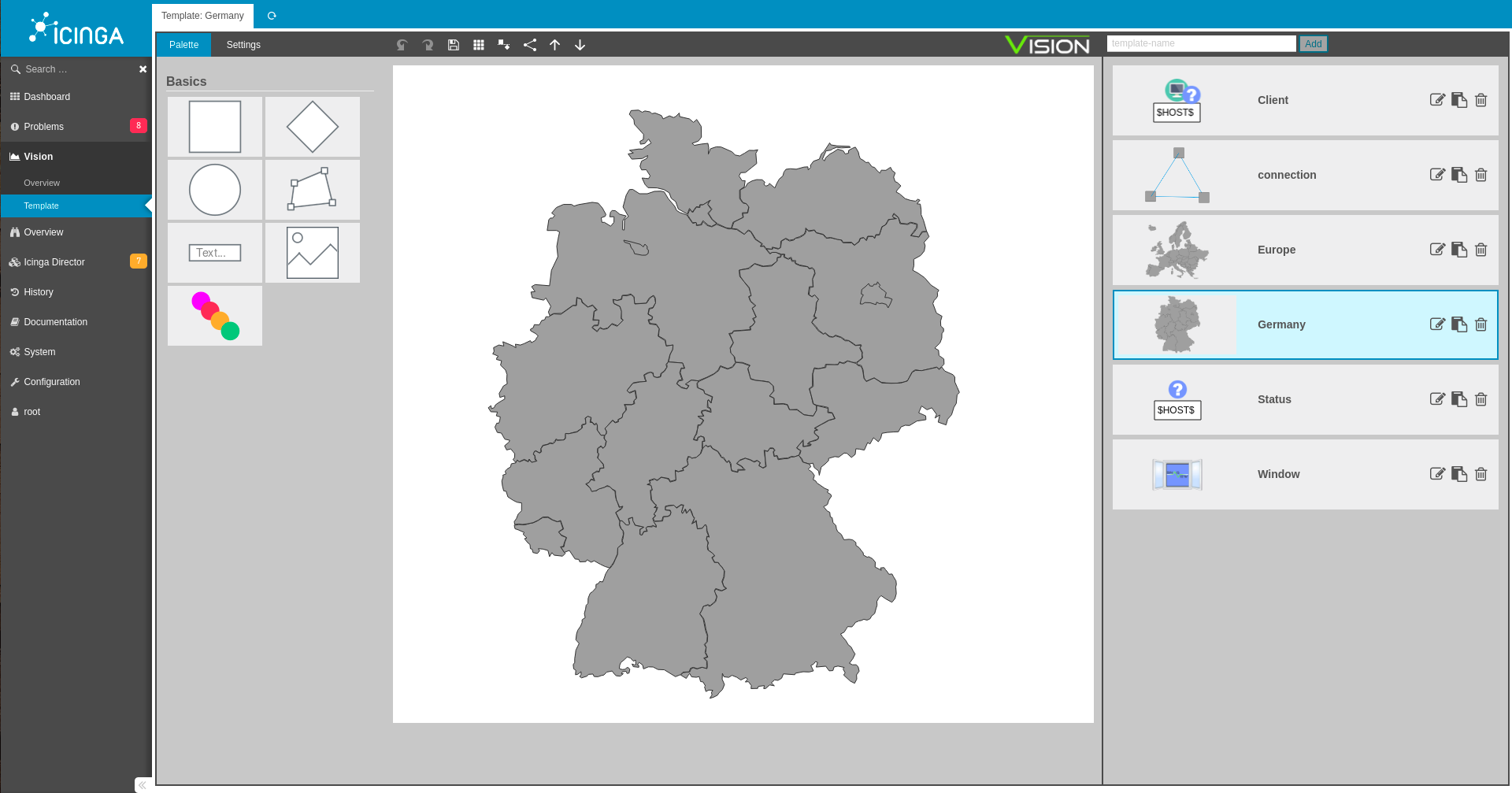
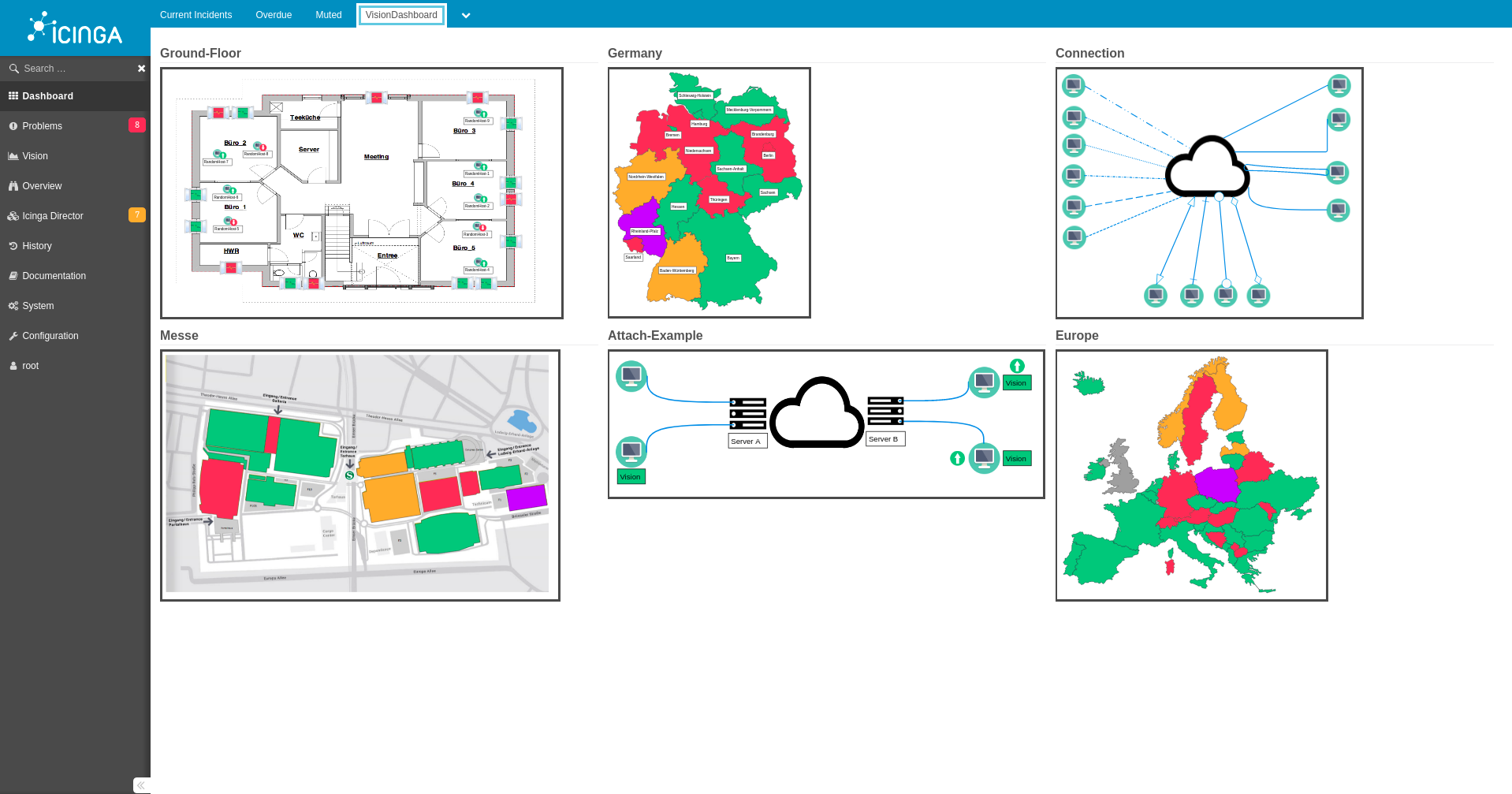
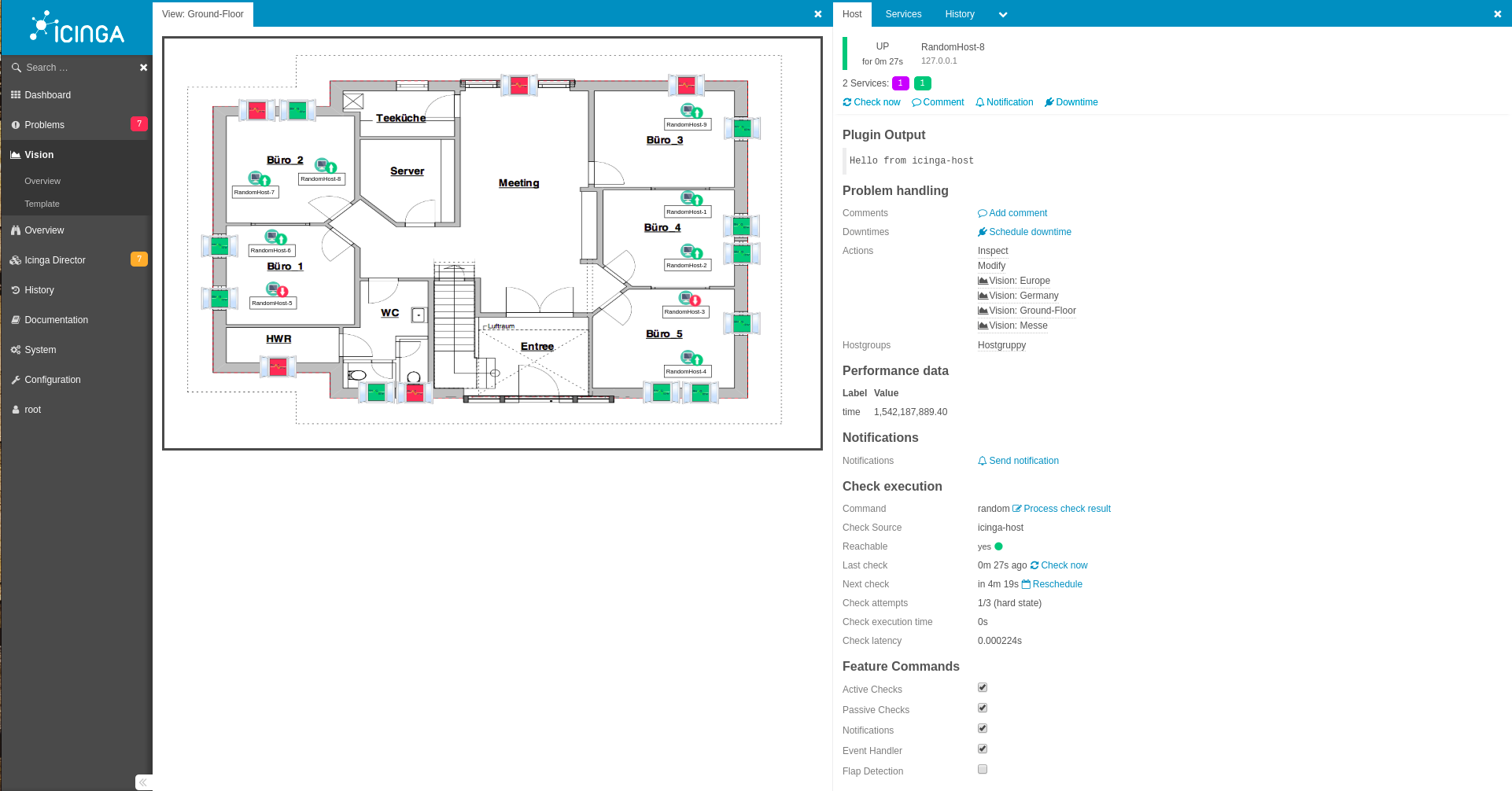
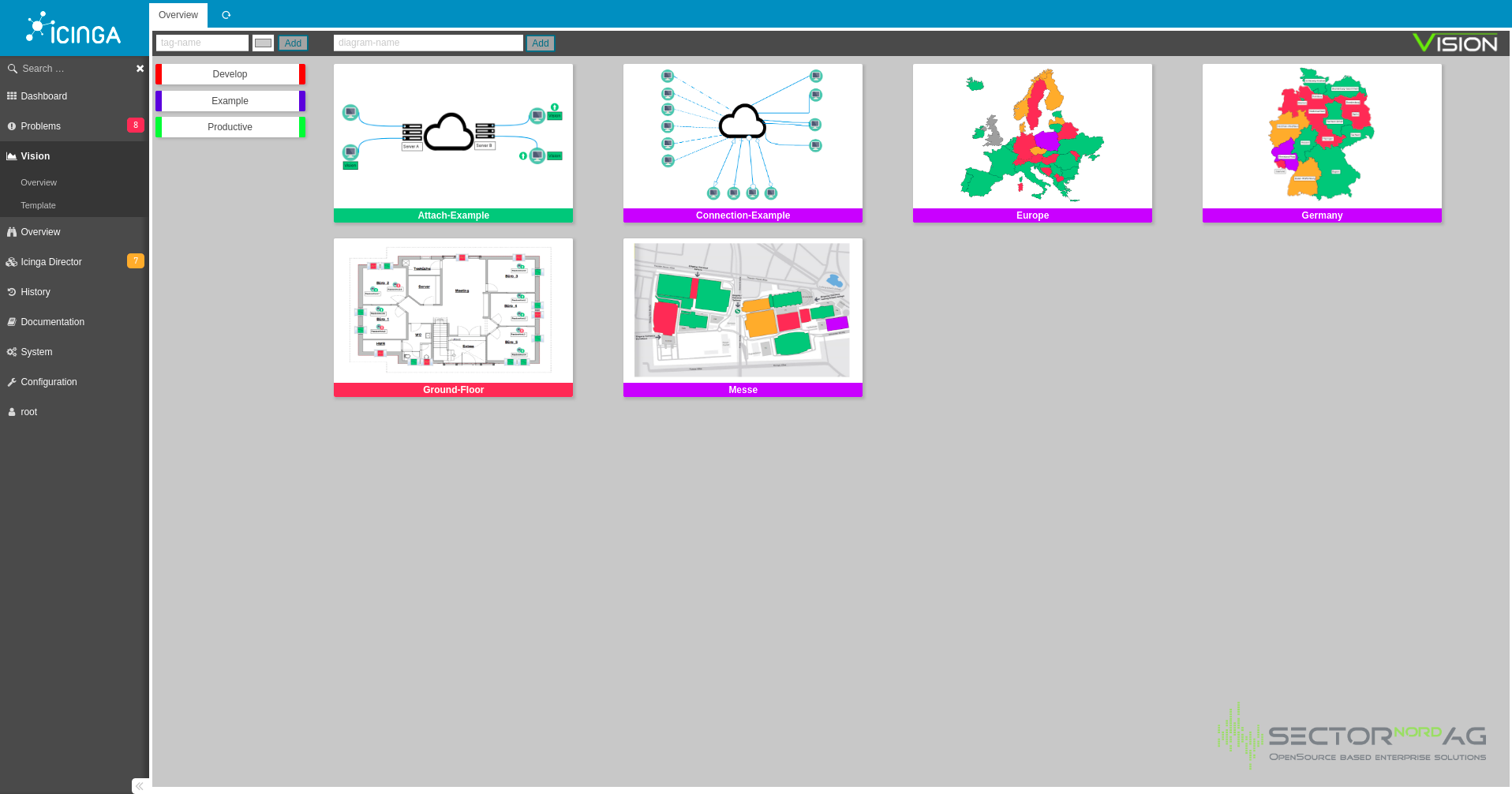
Mit „Vision“ haben wir ein Modul für die Browser-Oberfläche IcingaWeb2 entwickelt, mit dessen Hilfe Sie für Ihr ICINGA2-Monitoring ganz einfach umfangreiche Grafiken erstellen können. Durch die automatische Befüllung mit den entsprechenden Statuswerten sind Sie so in der Lage, die im Icinga2 vorhandenen Daten visuell umzusetzen und so deutlich besser auswerten zu können. Vision dient als Editor zur Erstellung von sogenannten Diagrammen, die von Ihnen nach Belieben designt werden können. Beispiele dafür wären die Welt-/Europakarte oder auch der Grundriss Ihres Firmengebäudes. Diese Karten können mit den von Icinga2 bereitgestellten Livestatuswerten erweitert werden. Durch Vision können Sie Hosts und Services nach Ihren Wünschen auf dem Diagramm platzieren und dadurch auf den ersten Blick Probleme oder Ausfälle erkennen. Erstellte Diagramme können zusätzlich als Widgets auf Ihrem Dashboard dargestellt werden.
EDITOR

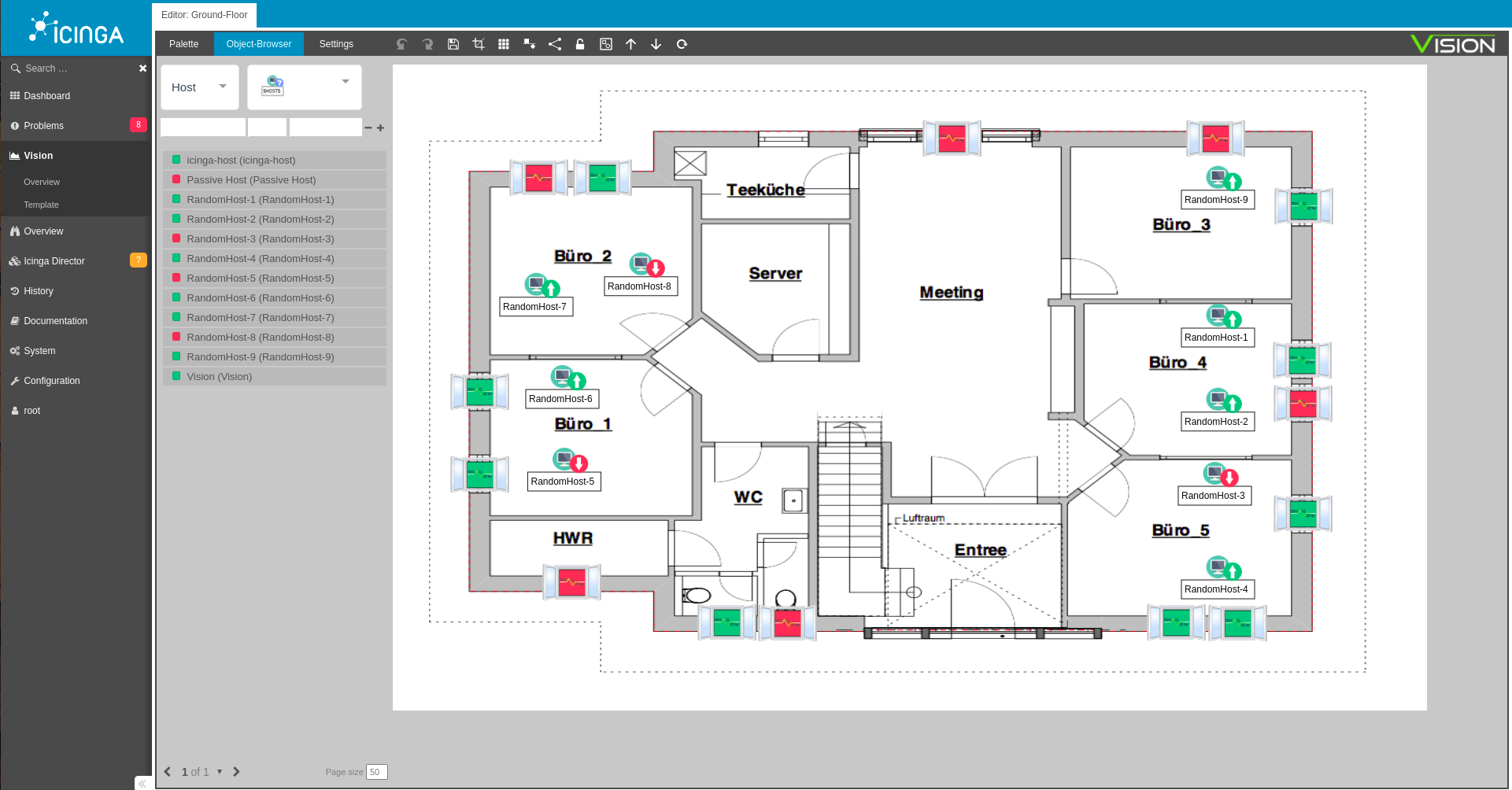
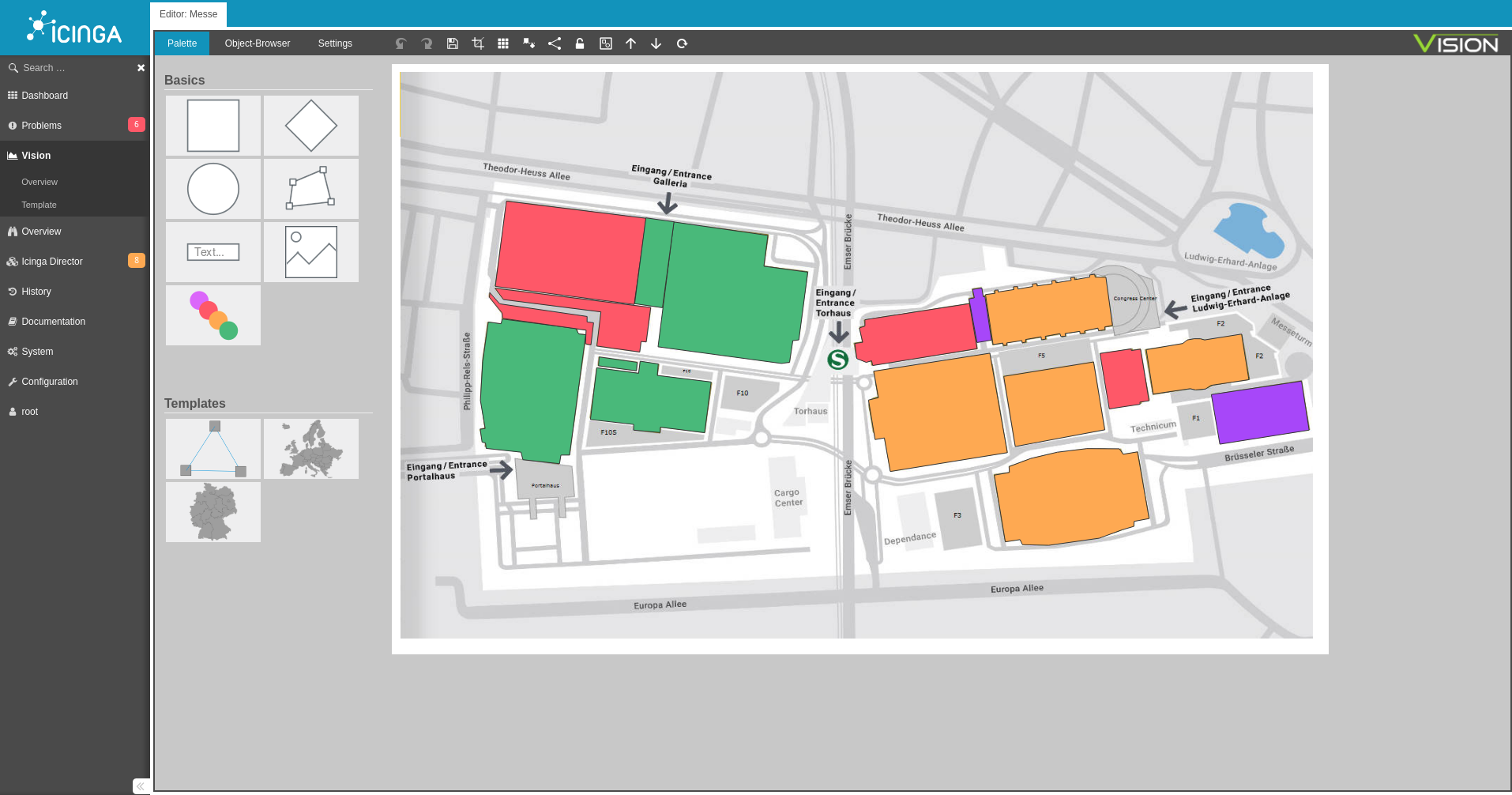
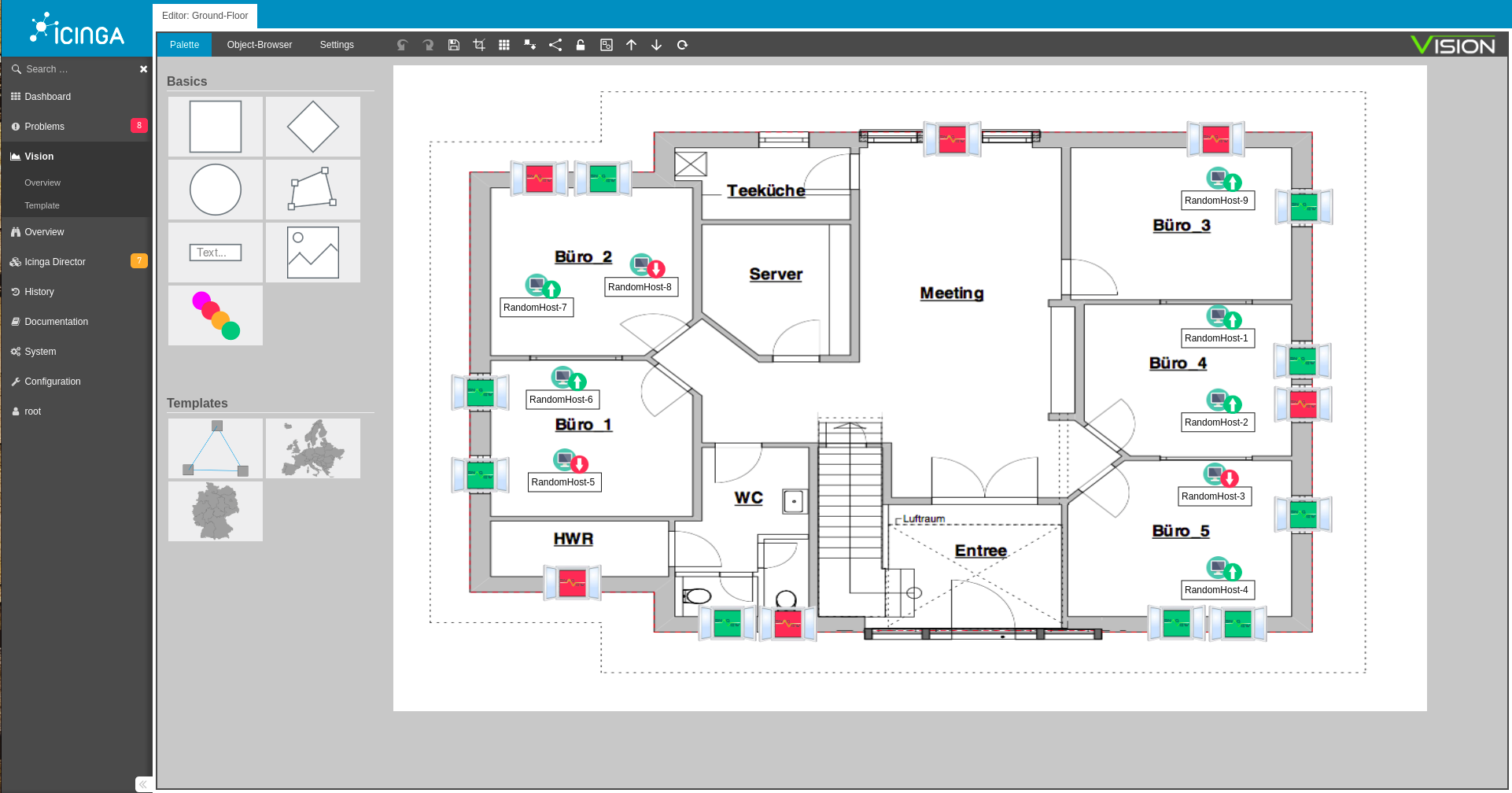
Der Editor ist die Basis von Vision, er ermöglicht das Erstellen von Diagrammen. Die Diagramme sind Karten/Bilder, auf denen die einzelnen Host und Service Objekte platziert werden. Mit Hilfe des Editors können Sie Ihre IT-Infrastruktur grafisch darstellen und dadurch Ausfälle oder Probleme auf den ersten Blick sehen.
 

Vision Objekte

Folgende Objekte können zur Erstellung der Diagramme verwendet werden:

Objects can also be merged into templates, see below.


CONNECTION

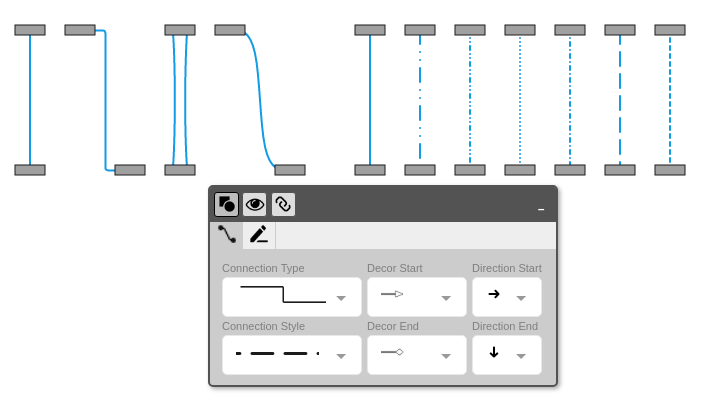
All objects and templates can be linked with connecting lines.
 

LINKING HOST AND SERVICES TOGETHER

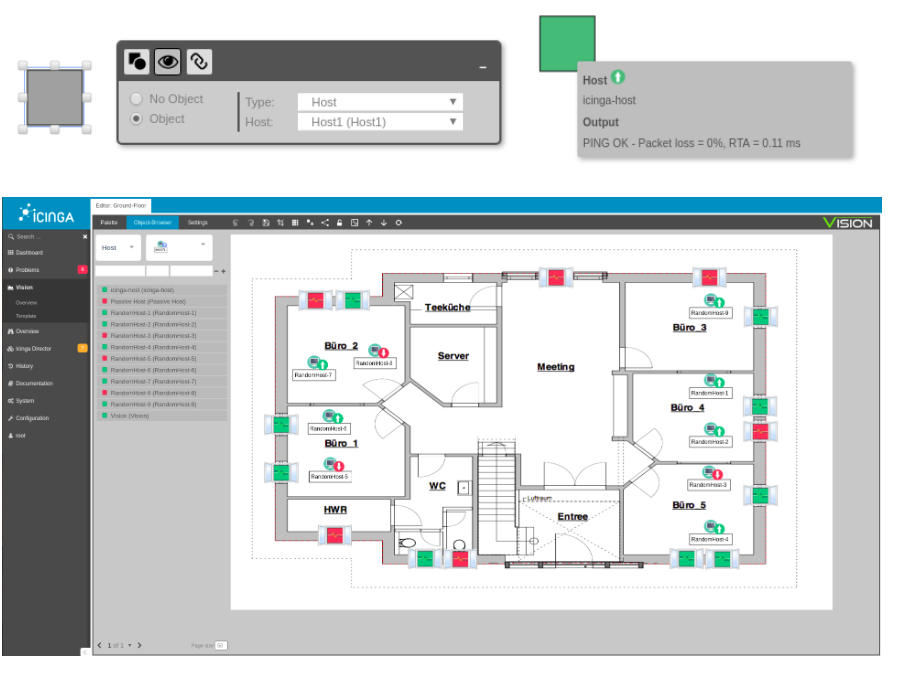
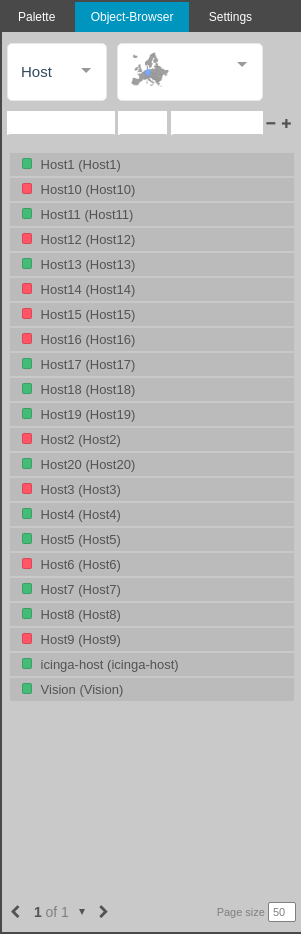
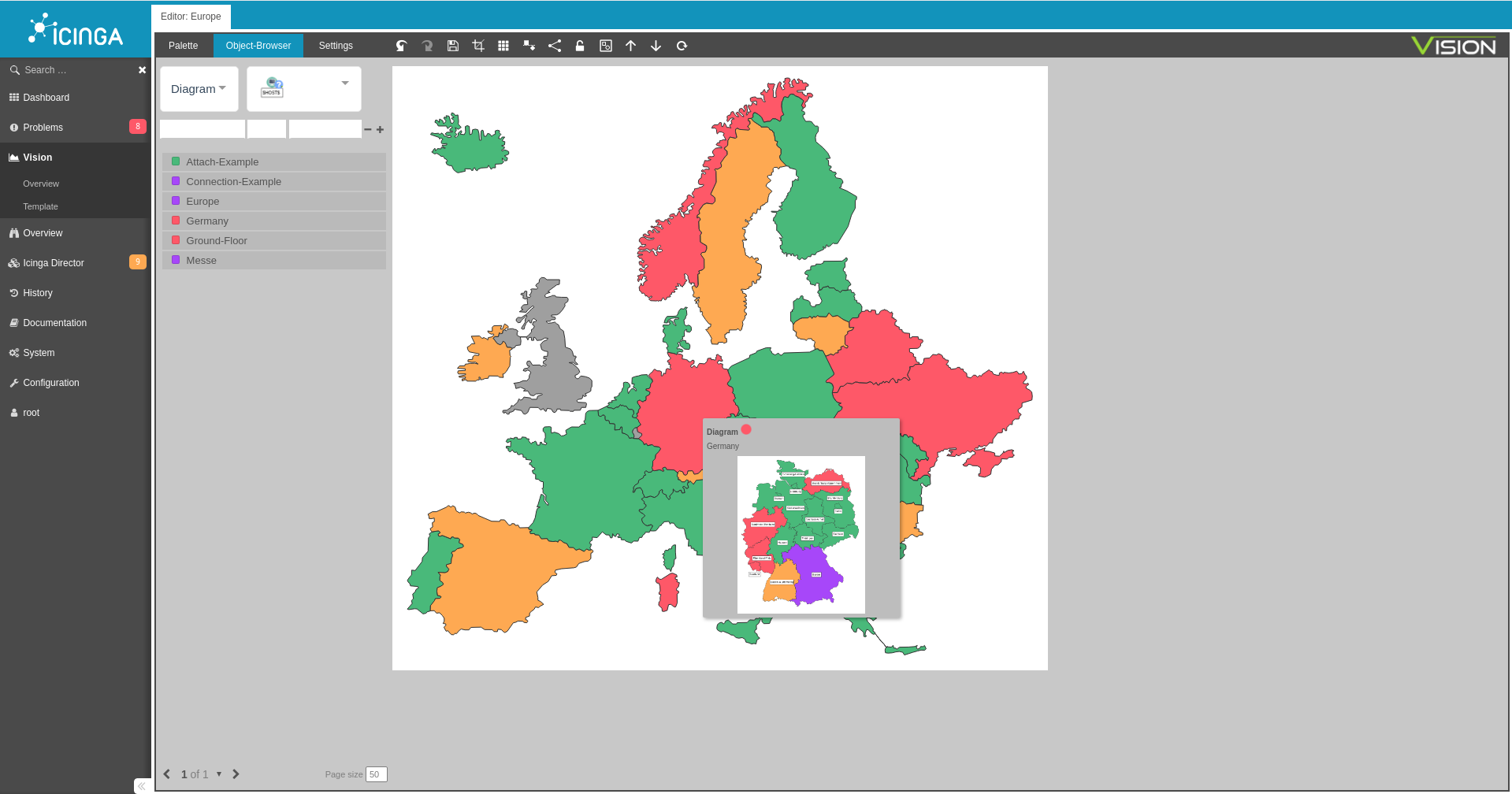
The core feature of Vision is linking objects and connecting lines to hosts and services. Hosts and services can either be placed on objects by dragging and dropping them from the Object browser, or they can be linked using the context menu. These objects always display the desired live status from the Icinga 2.


EDITING

The editor has many editing functions. Among them, it offers the possibility to adjust the canvas size to existing elements via a crop function.

There is a grid mode that displays an auxiliary grid and allows the user to align the objects with this grid. Furthermore, the editor has the function to group objects together, and the Undo/Redo function can be used to undo editing steps.

With the help of a front/back button, individual diagram elements can be lifted into the foreground or background.


FEATURES

TEMPLATE

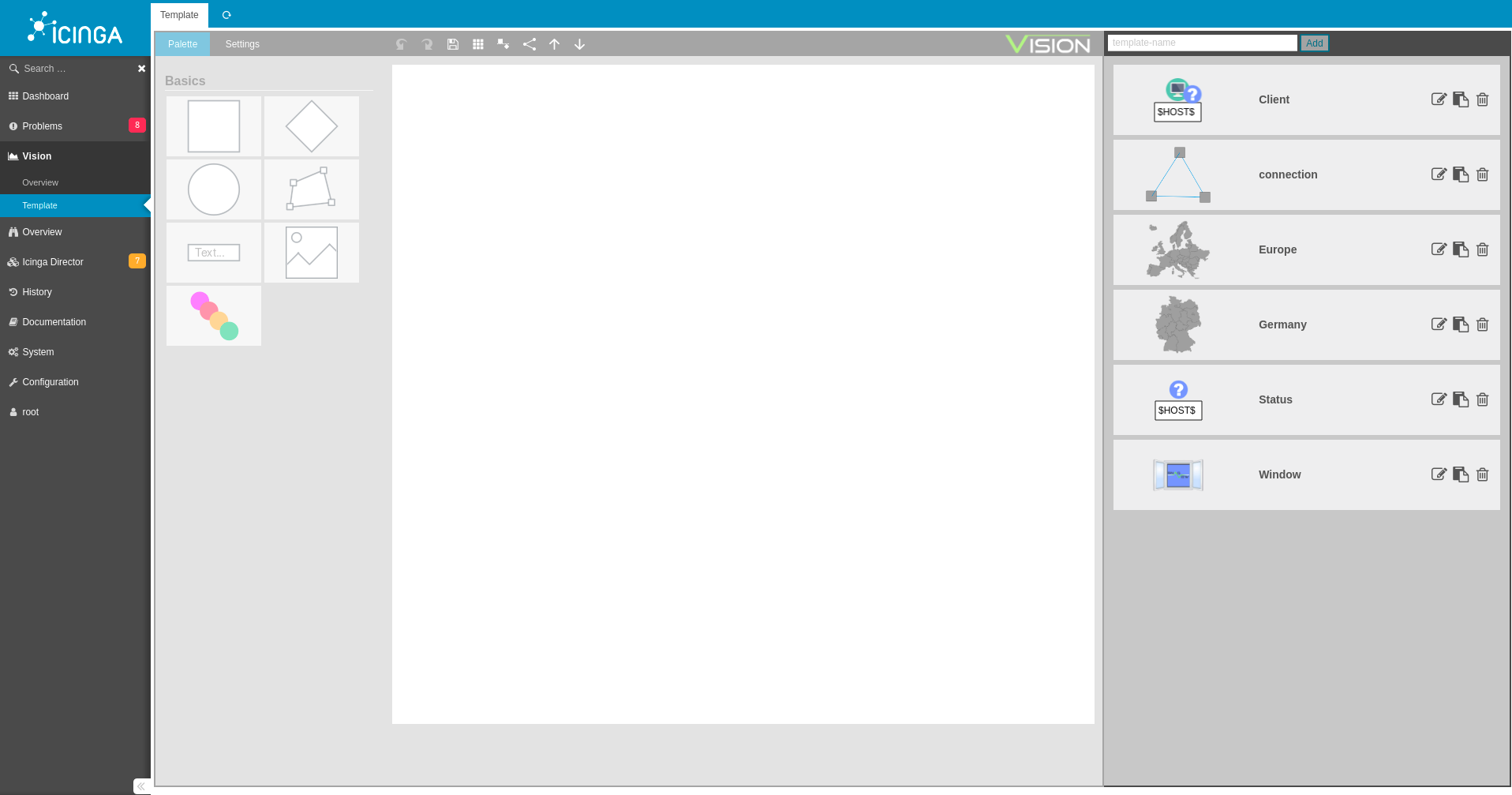
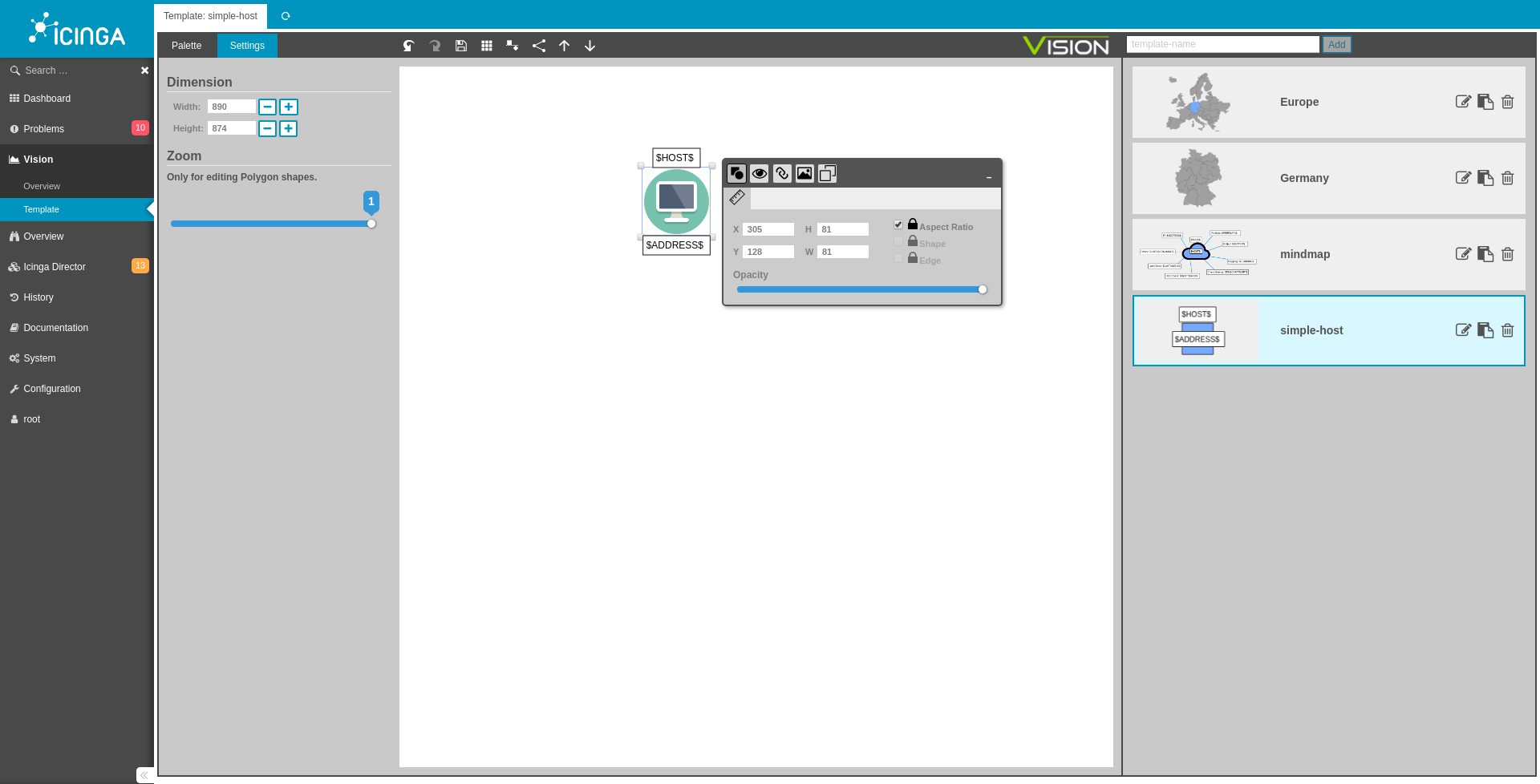
Vision enables the creation of templates. Templates are objects that consist of your own images or the objects of the palette. A template can be used as a template for the diagrams. Thus, Vision makes it possible to use objects once they have been created over and over again.


CUSTOMIZABLE POLYGON

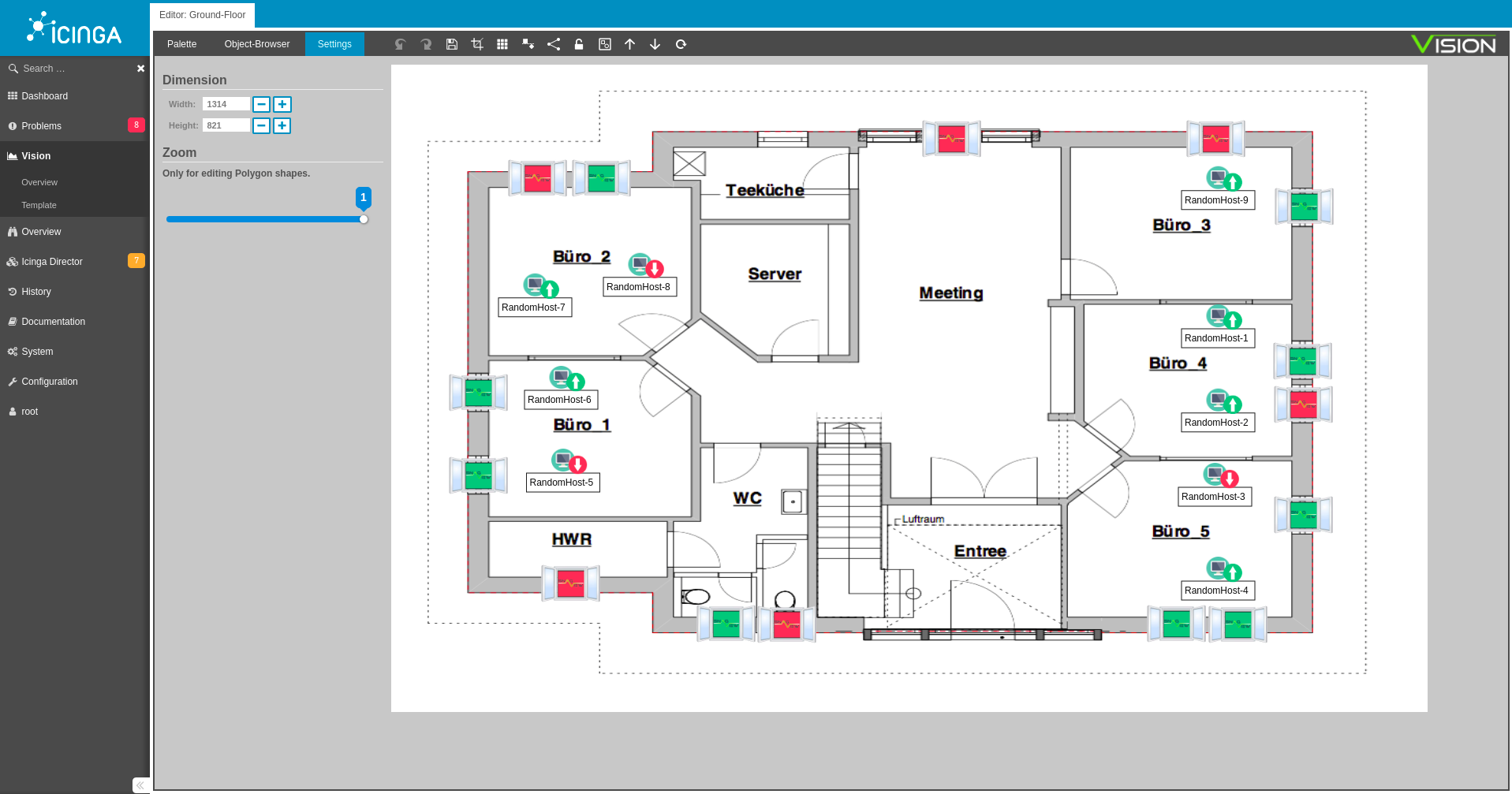
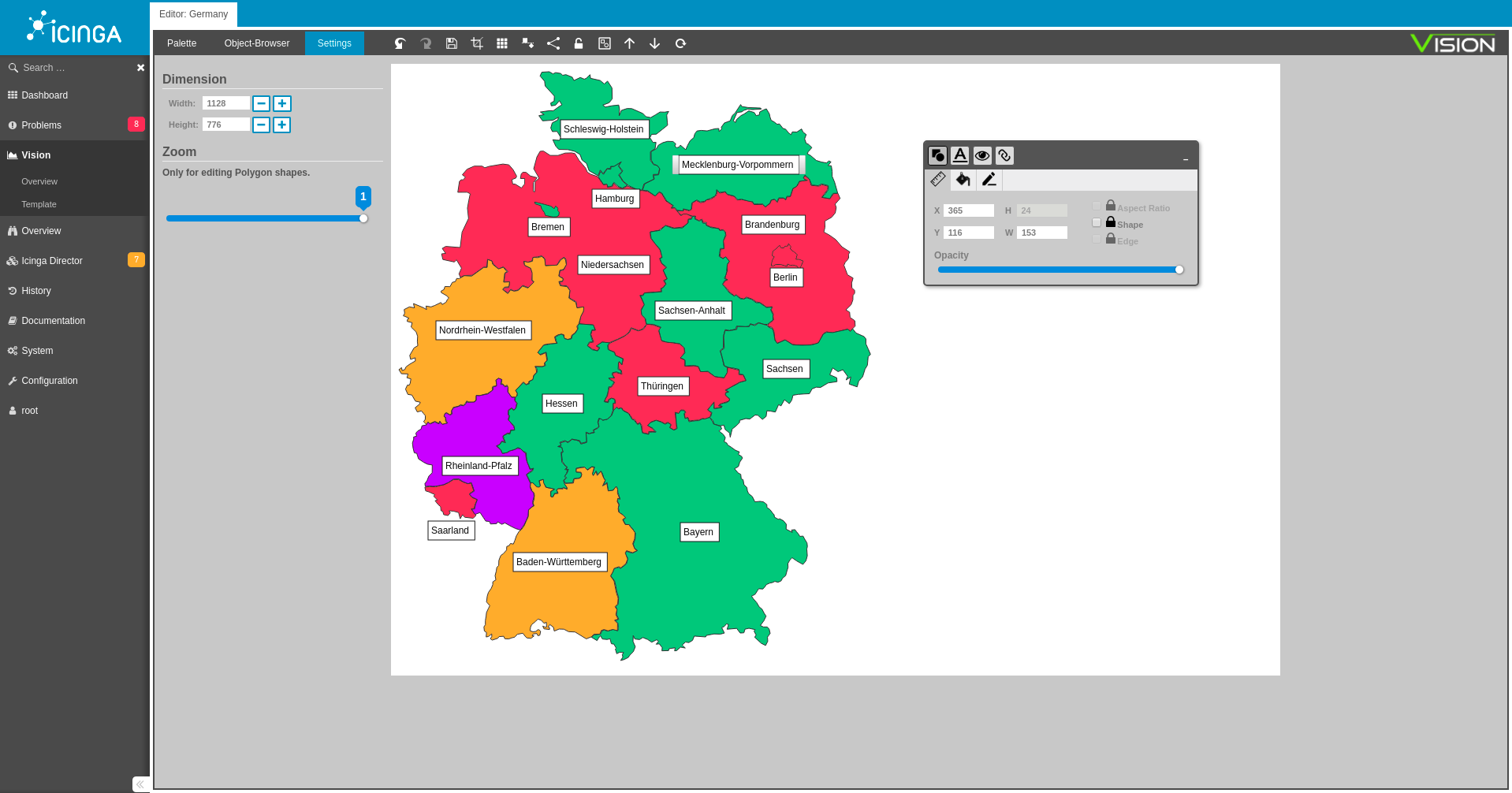
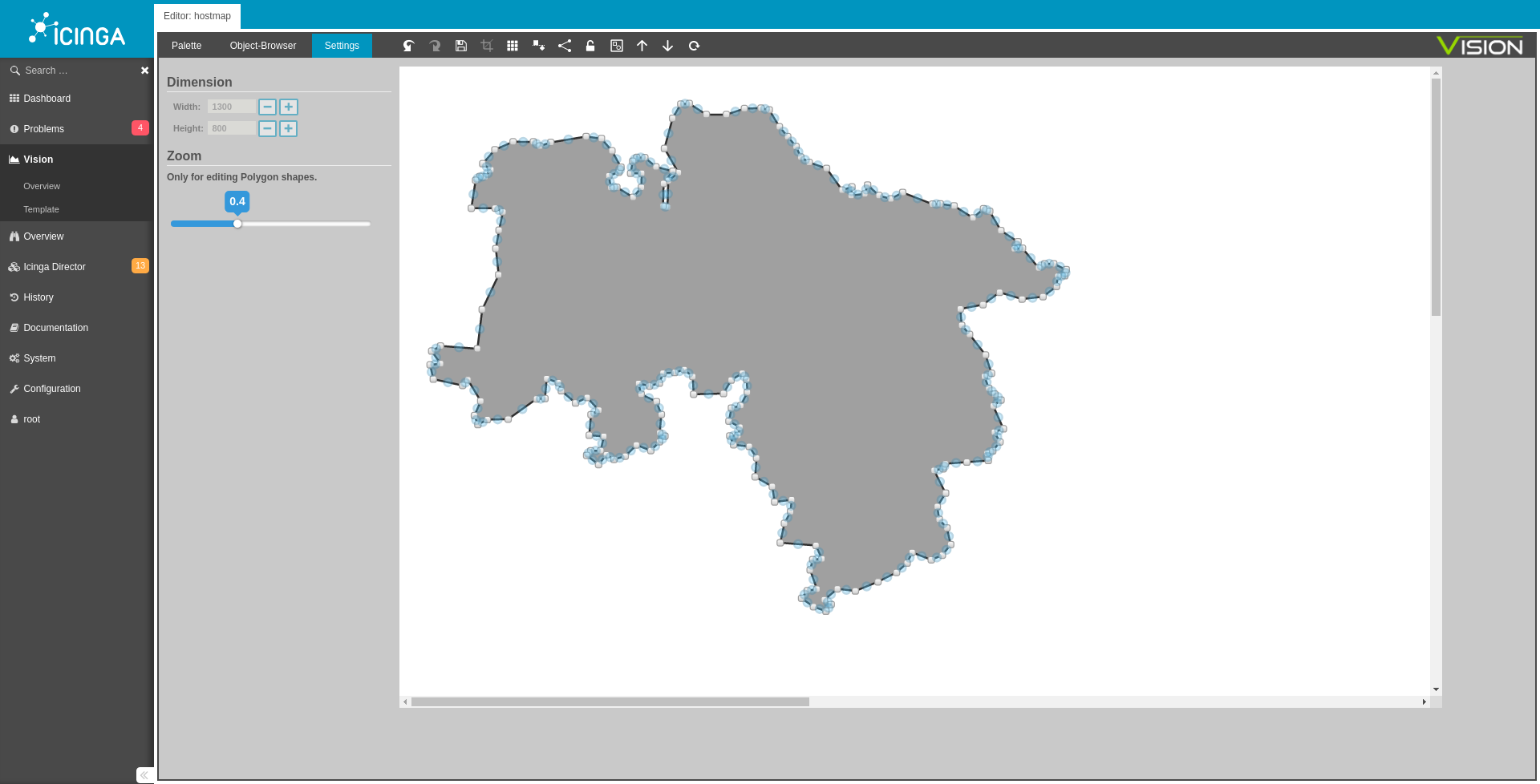
The special zoom function for creating polygons in Vision makes it possible to display objects in great detail. These objects can later be filled with live status information and change their color according to the current status of the host, e.g. Up, Down, Unreachable, etc.


MACROS

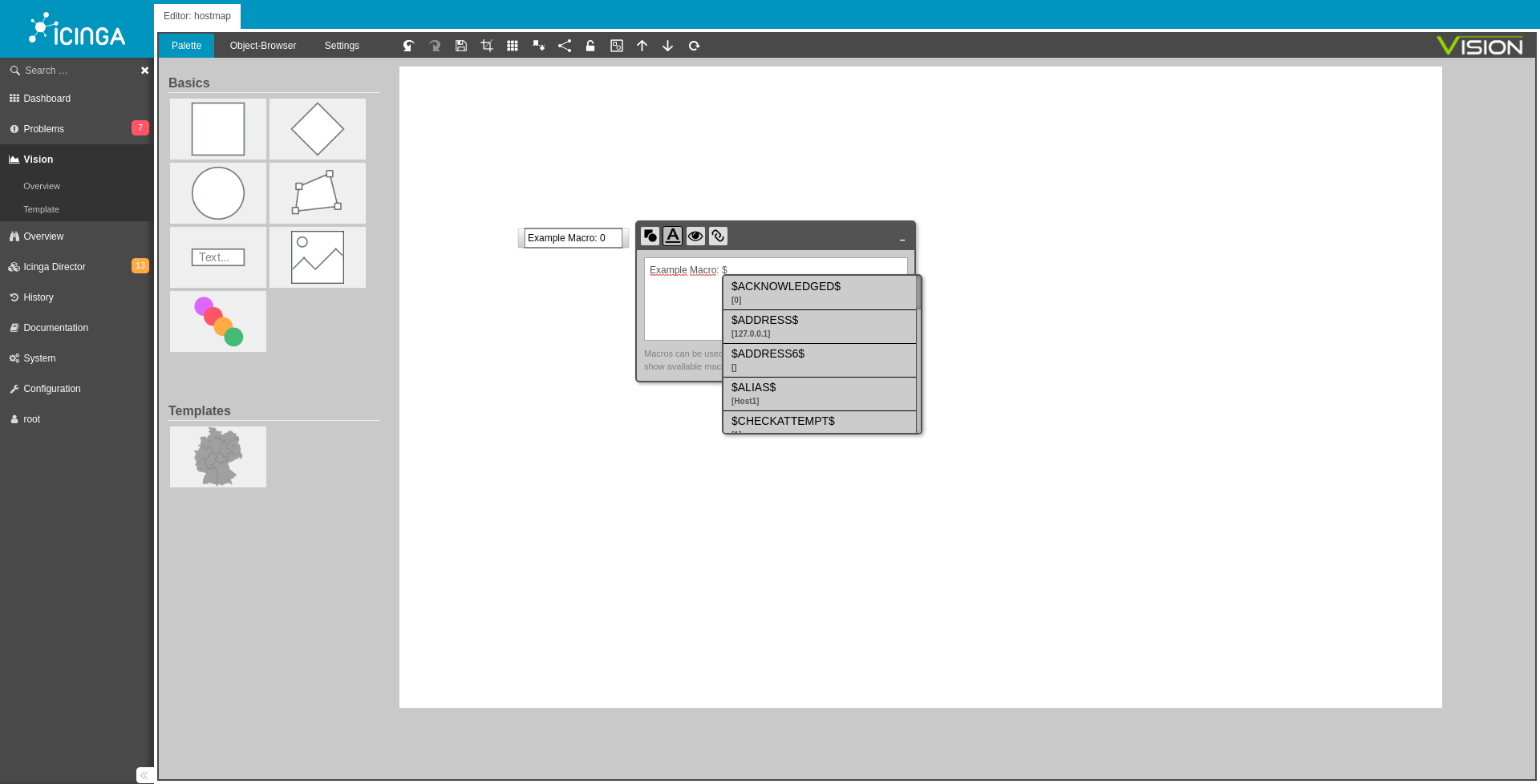
Each label (text field) can be given all information of the host about the input of macros.
 

TAGS

Diagrams can be tagged to make them easier to find or classify. These tags can be easily created using the tag list on the left and dragged and dropped to the diagram. In addition, this tag list can be used to filter diagrams that are assigned to a specific tag.
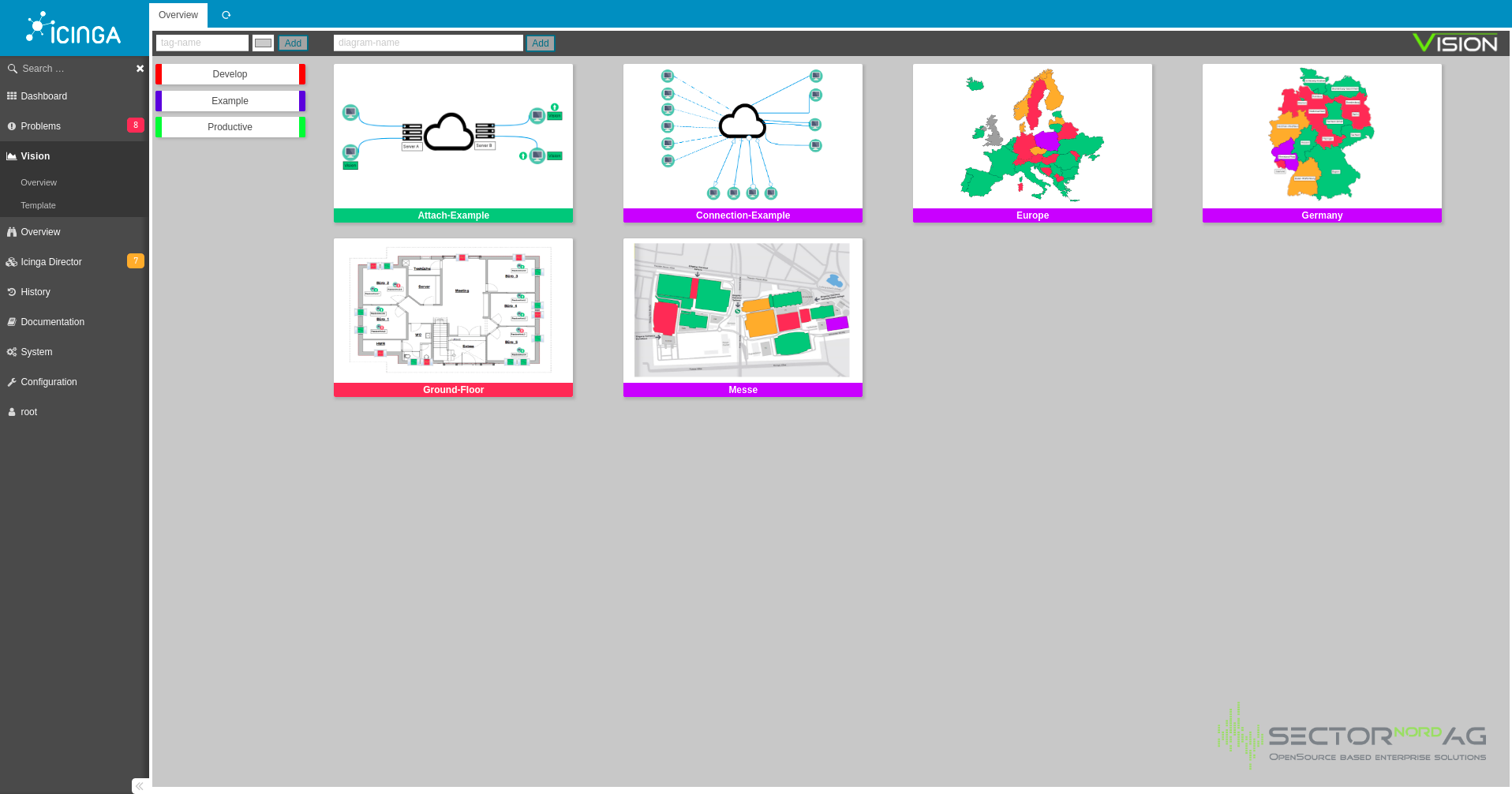
 

DIAGRAM IN DIAGRAM

Diagrams can be linked to objects on other diagrams. A tooltip shows the status and a preview of the linked diagram.


DOWNLOAD  TEST  TESTVERSION


Vision 1.2 trial version, unlimited use. Trial version limited to 8 diagrams, 8 hosts per diagram and 8 services per diagram. After a short registration you can download the trial version from the website.


SYSTEM REQUIRMENTS

The basic requirements for using Vision are PHP 8.1 or 8.2 with Icinga Web 2 - Version 2.12.14

Requirements for Diagram-Thumbnails/-Screenshots with status colours:
pkill, Chrome/Chromium, IcingaWeb2 and Icinga2 need to run on the same host

VISION

CHANGELOG
MInor Release 2.0.5 (15.08.2025)

## Miscellaneous

* #269 Add update information to the documentation

* #270 Background colour and size of Icingaweb2 fields are changed from Vision module

Minor Release 2.0. 4 (25.06.25)

Bugs

  • #267 Long diagram names can't be altered
  • #268 - Vision won't work with only monitoring module active
Minor Release 2.0.3 (02.05.25)

Bugs

  • #248 Object browser does not respect user restrictions when using monitoring-module
  • #246 Extend character length of diagram and diagram-template names
  • #266 Problems with icingaweb2 version v2.11.5 and 2.12.3
Minor Release 2.0.2 (25.10.2024)
Bugs
  • [#263] Error in overview if diagrams contains objects where user has no rights
  • [#250] Link-Object does not work in Polygons and Diamond
  • [#248] Object browser does not respect user restrictions
  • [#245] Diagram can not be used as dashlet, height is wrong
  • [#243] Last added image is not displayed correctly
  • [#242] Display of the wrong version number of vision
  • Minor Release 2.0.1 (15.12.2023
    Bugs
  • [#237] State is still not correctly inherited
  • [#238] ACK and DT modifier of state are not inherited to other diagram
  • [#239] view-only user can still edit tags
  • [#240] status colors do not respect ack and dt modifiers
  • Major Release 2.0 (06.10.2023)
    Key features
  • Vision 2.0.0 has been prepared to accommodate the new default IcingaDB data structure, fully taking advantage of it.
  • Role-based permissions can now be defined, with a specific 'vision/edit' permission that grants designated users the ability to create, update, and delete diagrams. Additionally, the 'restrictions' setting enables fine-grained access control for diagrams based on name prefixes (Please note that prefix restrictions are only compatible with the new IcingaDB data structure)
  • Have you ever wished to eliminate the 'icingaweb2' URL segment while retaining access to Vision? Now, you can. Vision Improvements
  • [improvement] #231 Customize icon color of ACK + Downtime
  • [improvement] #233 Adapt new icingadb datastructure which is default in Iciniga 2.11.4
  • [improvement] #234 Update vision design to fit icinga themes
  • [improvement] #232 integrate view permissions
  • [bug] #226 Status inheritance over multiple diagrams didn`t work
  • [bug] #227 Faulty status display of the diagrams
  • [bug] #230 Scaling of diagrams could be better
  • [bug] #228 Boxes of the diagrams are displayed incorrectly Bugs
  • #217 "/icingaweb2/vision" hard coded in vision module - after changing Web config vision module does not work anymore
  • Major Release 1.4 (14.10.2022)
    Bugfix:
  • Status of the Overview is now being updated every 30 seconds.
  • Diagrams, which other Diagrams link to, have been fixed. Both the image and the state are now being displayed correctly.
  • Linked Diagrams can now be deleted smoothly.
  • "Usort" PHP error has been fixed.
  • The frontend has been adjusted so that both themes (light and dark) can be used correctly. Feature:
  • New icons for when a host or service is in downtime or acknowledged
  • Major Release 1.3 (16.02.2022)
    Features:
  • The design has been adapted to the new standard theme of IcingaWeb 2.10 (lightmode and darkmode). Tip: For the correct display of thumbnails, it is recommended to use the light-theme. Due to the change in design, display errors may occur in older versions of Icinga Web2 (< als 2.10).
  • Major Release 1.2 (30.08.2021)
    Features:
  • MAC optimization
  • PHP 8 support
  • New Template (Map of Austria)
  • Connection-Mode Node-Placement is now possible via the shift key (previously Strg+Alt) Bugfixes:
  • The notification-bar no longer vanishes behind the sidebar.
  • Icingashot-Plugin output has been adjusted
  • General styling of input fields and dropdown fields has been adjusted
  • The standard Tag color is now Icinga blue and no longer grey
  • The standard vision.conf module path is now the standard module path of Icinga
  • Einstellungen

    Accessibility

    Über folgende Optionen können Sie das Interface individuell auf Barrierefreiheit anpassen. Unsere Website orientiert sich an den Accessibility Guidelines für Barrierefreiheit, festgelegt vom W3C. Über folgende Optionen können Sie das Interface weiter auf Ihre Bedürfnisse anpassen.